7-Day Free Trial — No Credit Card Required

Stream Your Content
Smarter & Faster

A modern media player for Android TV, smartphones & tablets. Start with a free 7-day trial — add your playlists, activate your device, and enjoy lag-free playback.
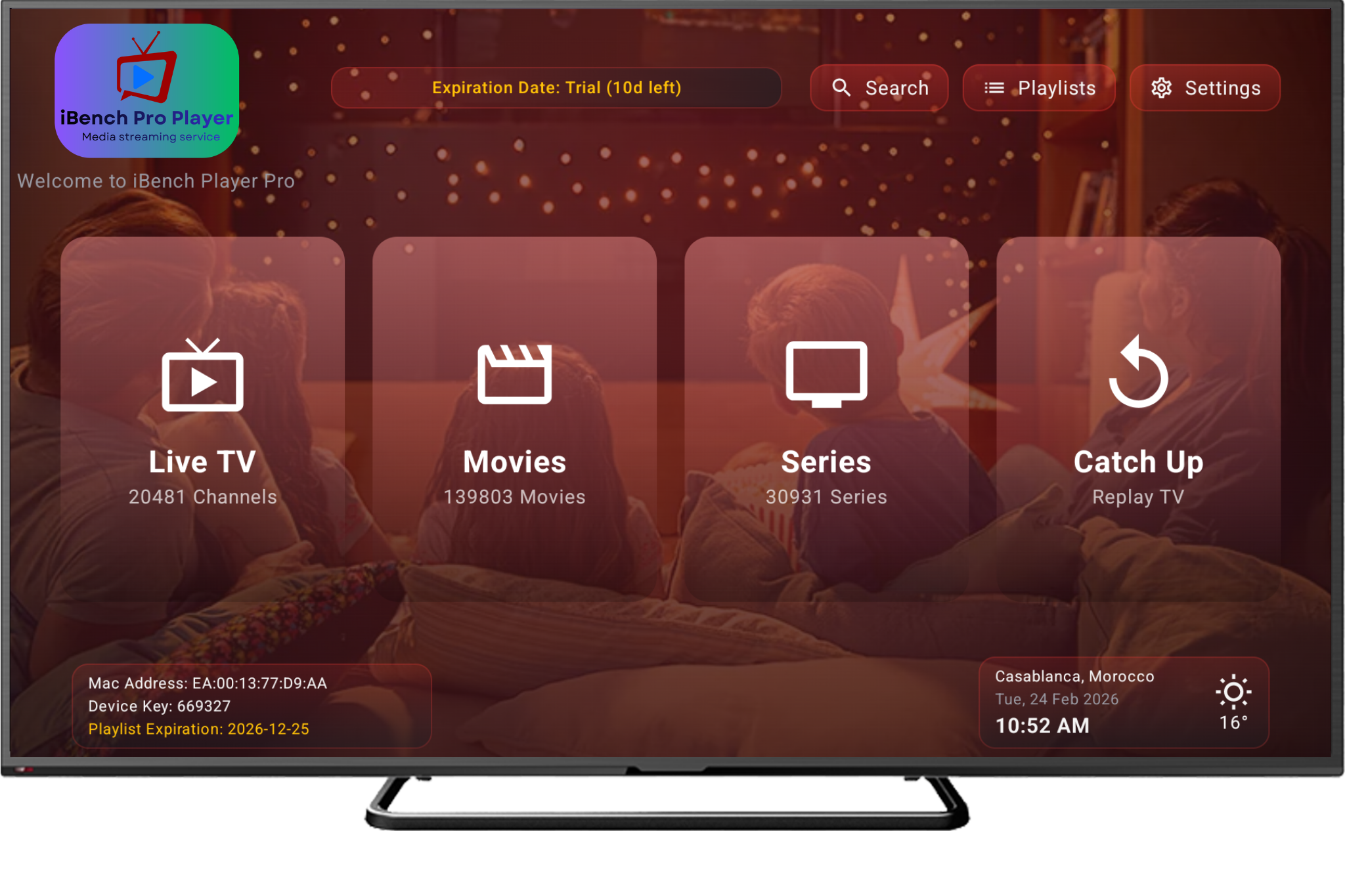
iBench Player Pro App Preview
4K
Ultra HD Support
Playlists per Device
24/7
Always Available
M3U
Compatible Format

Everything You Need
in One Player

Built for performance and smooth navigation across all your screens.

Instant Playback

Optimised engine cuts buffering time and delivers your stream in seconds, even on slow connections.

All Resolutions

From 720p to full 4K Ultra HD. Our player adapts to every screen size and quality level.

Playlist Manager

Add, update, and organise unlimited M3U playlists directly from your web dashboard with ease.

Secure Activation

Each device is linked via a unique MAC address and key, keeping your account safe and exclusive.

Multi-Platform

Works seamlessly on Android TV boxes, Fire Sticks, smartphones, and Android tablets.

Auto Updates

Your app and playlists stay current automatically — no manual effort needed on your part.

Simple UI

Clean, clutter-free interface focused entirely on your media — no bloat, no distractions.

Wide Compatibility

Supports multiple stream types and works with any provider that gives you an M3U playlist link.

Simple, Transparent
One-Time Pricing

No hidden fees. No auto-renewals. Pay once — enjoy your player.

7-Day Free Trial Included
Every plan starts with a free 7-day trial. You will only be charged after the trial ends.
Annual Plan
$9.99
/ year  ·  1 Device
  • 1 Device activation
  • Full app access for 1 year
  • Unlimited playlists
  • All resolutions up to 4K
  • Secure MAC-based activation
  • Multiple devices
  • Lifetime access
Get Annual — $9.99/yr
Lifetime 3 Devices
$89.99
one-time  ·  3 Devices
  • Up to 3 Device activations
  • Lifetime access — pay once
  • Unlimited playlists per device
  • All resolutions up to 4K
  • Secure MAC-based activation
  • Free future updates
  • Best value for families
Get 3-Device — $89.99

Already subscribed? Sign in to manage your devices

Up & Running in
4 Simple Steps

From download to playback in minutes.

1

Download the App

Get iBench Player Pro on your Android TV, stick, or mobile device from the store.

2

Choose a Plan

Pick Annual or Lifetime — complete a secure one-time payment via Stripe checkout.

3

Activate Your Device

Open the Activate panel, enter your MAC address and device key to link your device.

4

Add & Enjoy

Add your M3U playlists from the web dashboard and start playing your media instantly.

Frequently Asked
Questions

Everything you need to know before getting started.

iBench Player Pro is a modern media player app for Android TV boxes, Fire Sticks, smartphones, and tablets. It lets you manage and play your own M3U/IPTV playlists with a smooth, fast interface — no content is included; you supply your own playlist links.
No. iBench Player Pro is a player only — it does not provide, host, or bundle any channels, movies, or media content. You must add your own M3U playlist URL or Xtream credentials from a provider of your choice.
Open the app on your device — it will display your unique MAC address and a 6-digit Device Key. Then visit the Activate Device page on this website, enter those credentials, and your device will be instantly linked to your account.
The Annual Plan ($9.99/yr) gives you access for one year per device and renews annually. The Lifetime Plan ($29.99) is a single one-time payment that gives you permanent access for 1 device. The Lifetime 3-Device Plan ($89.99) covers up to 3 devices with the same permanent access — perfect for families.
Every new account starts with a free 7-day trial — no credit card is required to activate a device during the trial period. After 7 days you can choose a plan to continue. You will not be charged automatically.
Each plan covers a set number of device activations (1 device for Annual and Lifetime; 3 devices for the Lifetime 3-Device plan). Each device must be activated separately using its own MAC address and key.
After activating your device, sign in to your account panel and go to Devices. Click your device, then add a playlist using either an M3U URL or Xtream Codes credentials. The app will load your playlist automatically.
Payments are processed securely via Stripe. We accept all major credit and debit cards (Visa, Mastercard, Amex) as well as Apple Pay and Google Pay where available.
We offer refunds within 7 days of purchase if the app does not work as described and the issue cannot be resolved by our support team. Please contact us with your order details and we will assist you promptly.

Get iBench Player Pro
On Your Platform

Available across Android, Smart TV, and more platforms.

Direct APK downloads are available from your account panel after subscription.

Get in Touch

Have a question or need help? We're here for you — usually within 24 hours.
Phone / WhatsApp
Support Hours
Mon – Fri, 9 AM – 6 PM UTC
Before You Write
Check our FAQ section above — your question may already be answered there.

Send Us a Message